This task can only be performed by an SFX Administrator.
You can permanently remove individual files from the Recycle Bin, or you can completely empty it.
Help for SFX - Secure File Exchange
|
This task can only be performed by an SFX Administrator. You can permanently remove individual files from the Recycle Bin, or you can completely empty it. |
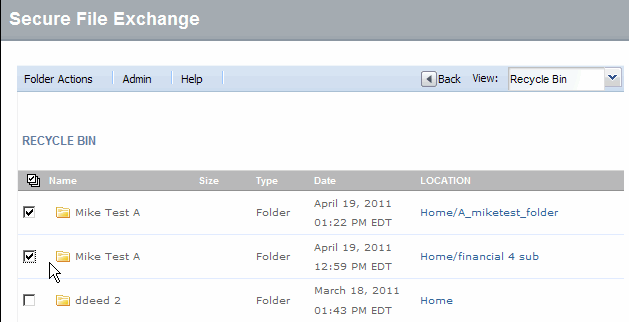
Click Recycle Bin from the View drop-down menu. The Recycle Bin window displays.
Select the check
box of each item you want to permanently delete, or click  to select all
documents in the recycle bin.
to select all
documents in the recycle bin.
Click Delete. A deletion confirmation dialog displays.
|
Important: Once a file his deleted from the Recycle Bin, it cannot be restored. |
Click Yes to confirm the deletions. The screen refreshes, the selections are deleted, and a deletion completed message displays.
RESULT:
You have successfully emptied the recycle bin.