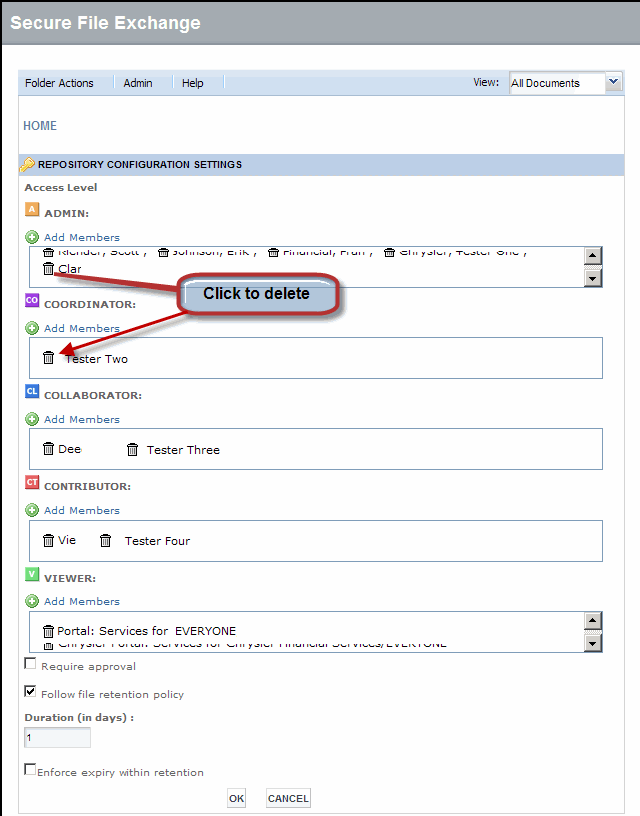
This task can only be performed by an SFX Administrator.
Caution: Removing Users and Groups at the repository level restricts them from accessing anything within SFX.
If you want to remove users or groups from particular files or folders, do not perform this procedure. Instead, modify access rights to the item.
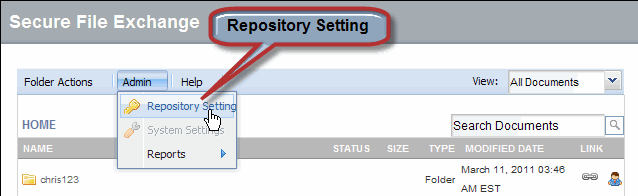
 next to the name of each
user or group you want to remove.
next to the name of each
user or group you want to remove.