This task can only be performed by an SFX Administrator.
Help for SFX - Secure File Exchange
|
This task can only be performed by an SFX Administrator. |
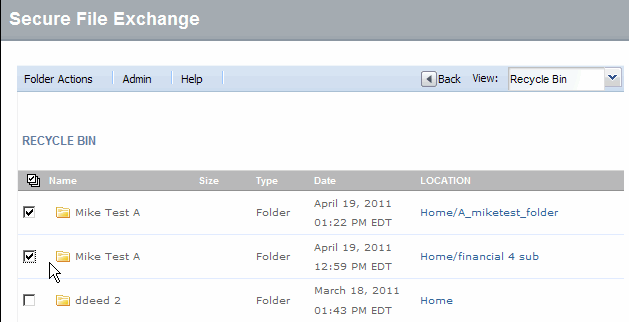
Click Recycle Bin from the View drop-down menu.
Select the check
box of each item you want to restore, or click  to select all documents in
the recycle bin.
to select all documents in
the recycle bin.
Click Restore. The items are restored to the repository locations from which they were deleted.
Click All Files from the View drop down menu to return to the folder structure.
RESULT:
You have successfully restored items from the recycle bin.