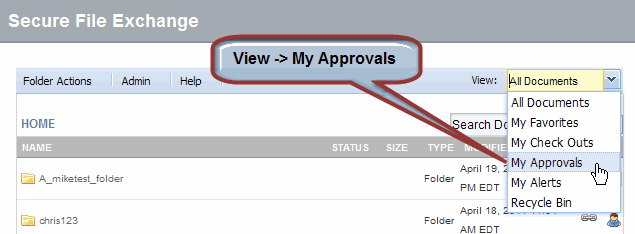
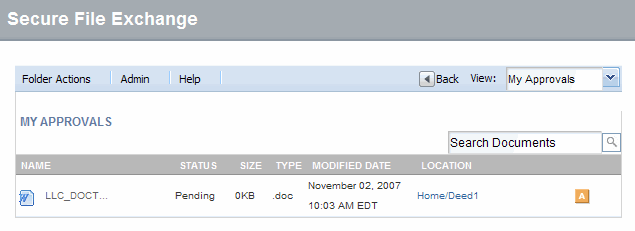
Click My Approvals from the View drop-down menu. The list of "Pending" files for which you are an approver displays.
In the list of Pending files, navigate to the draft file you wish to approve. (How do I navigate to a file or folder?)
Click the drop-down arrow at the far right of the file name.
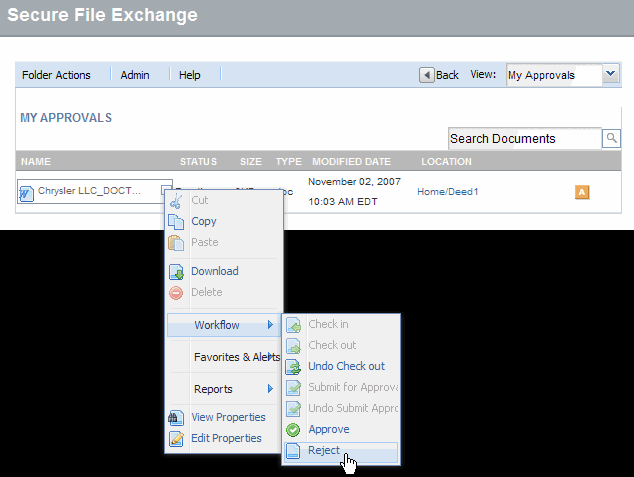
From the workflow option, click Reject.
Optional: Type a rejection reason.
Click OK. The screen refreshes and the file is rejected.
