This task can only be performed by an SFX Administrator, and only if your organization has purchased Auto-Loader functionality.
Help for SFX - Secure File Exchange
|
This task can only be performed by an SFX Administrator, and only if your organization has purchased Auto-Loader functionality. |
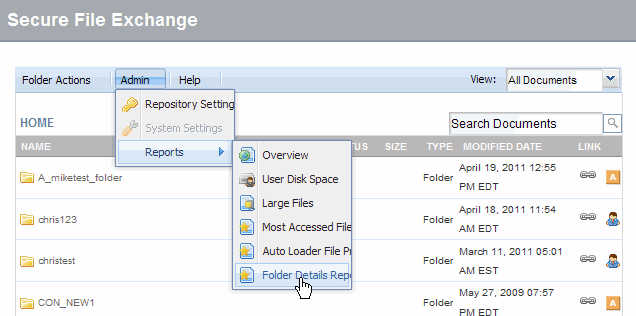
Click the Admin menu and select Reports -> Folder Details Report. The folder details report window displays.
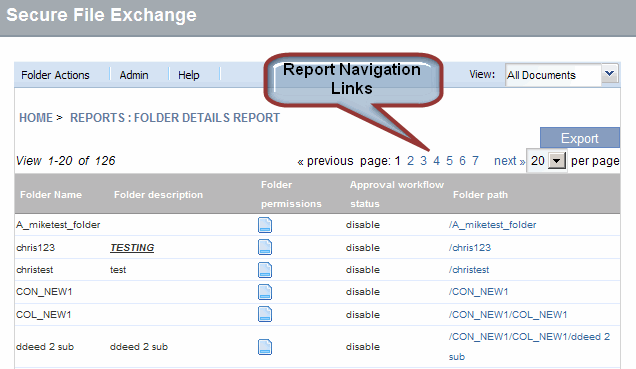
View the Folder Details Report as required.
View details of any folder in the repository.
Hover over the Folder Permissions column to view user access details.
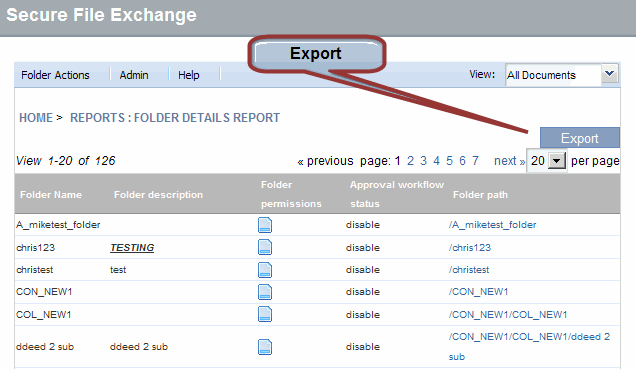
Click Export if you want to export the report in a CSV format file. A file download dialog displays.
Click Save and follow your PC prompts to save the CSV file.
RESULT:
You have successfully generated a Folder Details Report.