Help for PHI Audit
Audits are automatically deleted after a configurable amount of time. Perform this procedure when you want to delete audits before they are automatically deleted.
This procedure assumes you have logged in to your healthcare community and navigated to the PHI Audit Dashboard window. For details, refer to Access PHI Audit.
Perform the following steps to delete audits before they are automatically deleted:
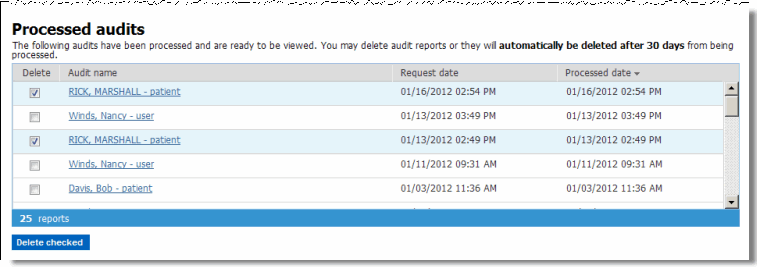
Scroll down through the Audit Dashboard window to the Processed audits section.
Note: The screen shot indicates
the example system is configured to delete audits after 30 days.
Check the Delete check box of each audit you want to delete..
Click Delete checked.
A confirmation dialog, similar to the following, displays.
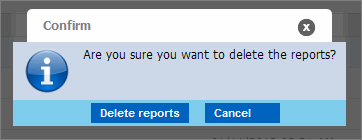
Click Delete reports. The audits are deleted. The Processed audits section refreshes.
result
You have successfully deleted processed audits.