Help for PHI Audit
You can download an audit in CSV format. CSV format files can be opened using spreadsheet software such as Microsoft Excel. There is more information in the CSV format files than can be viewed from the Audit Dashboard user interface.
Perform the following steps to download audit data in *.CSV format:
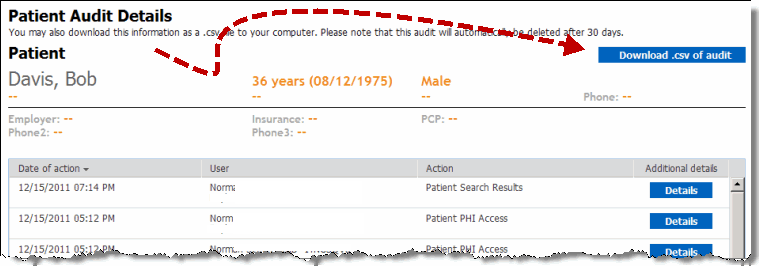
In the Processed audits section, click the Audit name link of the audit you want to download. The patient or user Audit details display. For details, refer to View a Processed Audit.
Click Download .csv of audit. A File Download dialog displays.
In the File Download dialog, click Save. A Save As dialog, similar to the following displays.
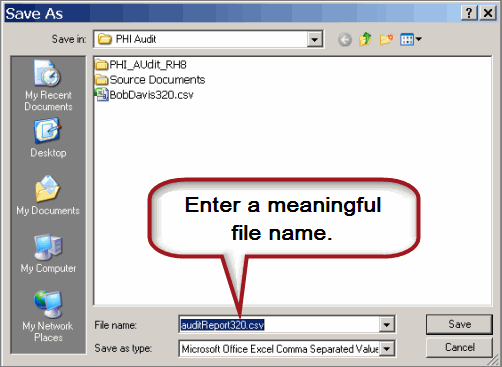
In the Save As dialog:
Navigate to the folder in which you want to save the *.csv file.
Enter a meaningful *.csv file name.
Click Save. The file is saved to the location you selected.
To view the saved file, open it with a spreadsheet program such as Microsoft Excel.
result
You have successfully downloaded and viewed a PHI audit in *.csv format.