View or Cancel Scheduled Audits

|
Audits display in the Scheduled
audits section of the Audit Dashboard window only until
they are processed. Audits are processed as soon as possible.
You may not be able to view or cancel scheduled audits, because
they have already been moved into the processing phase. |
View Scheduled audits when
you want to:
This procedure assumes you have logged in to your healthcare community
and navigated to the PHI Audit Dashboard
window. For details, refer to Access PHI
Audit.
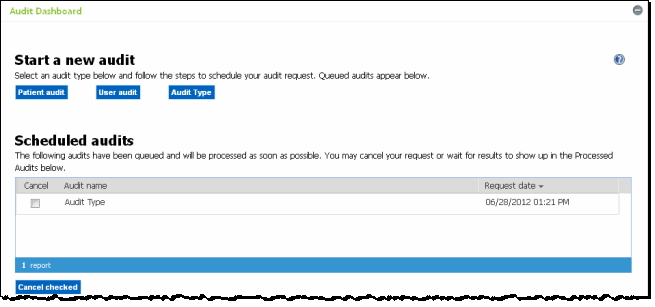
Perform the following steps to view Scheduled
audits:
On the PHI Audit Dashboard
window, scroll down the screen as required to view the Scheduled
audits section.
The list of scheduled audits displays, or
The "There are no scheduled audits as this
time" message displays,
Review the list of scheduled audits as required. If you want
to cancel scheduled audits, continue to the next step.
Check the Cancel check box
of each audit you want to cancel.
Click Cancel checked.
A confirmation dialog displays.
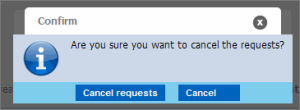
Click Cancel requests.
The checked audits are cancelled, and will not be submitted for system
processing.
result
You have successfully cancelled a scheduled PHI
Audit.