Help for PHI Audit
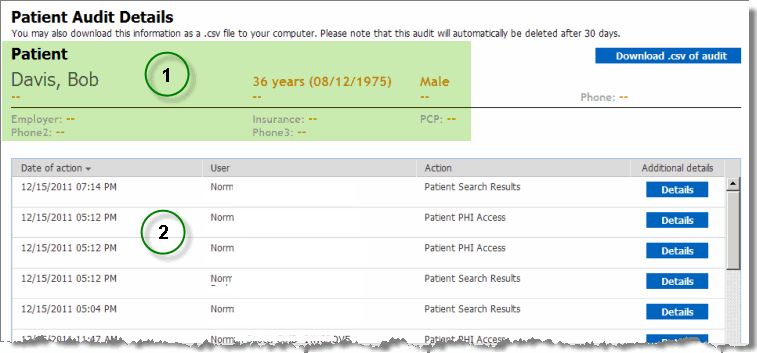
The Patient Audit Details screen is organized in two sections:
The patient section displays a summary that includes the patient's name and other key information.
The auditable actions section displays a row for each included action.
Date on which the action occurred.
The user who performed the action.
The action name.
[Optional] A link to additional details about the action.
From the screen, you can:
Download the audit data in CSV (Comma Separated Values) format.
View action details by clicking a Details button.
Return to the main audit page by clicking the  button.